Product Design
Compass Product Design
Redesigning competitive market analysis tools so real estate agents could build polished presentations in minutes, not hours.
The Client
Compass is a modern real estate platform that pairs top industry talent with technology to make the search and sell experience intelligent and seamless. Their agent tools are a key competitive advantage, as the better the tools, the more top agents want to work with Compass.
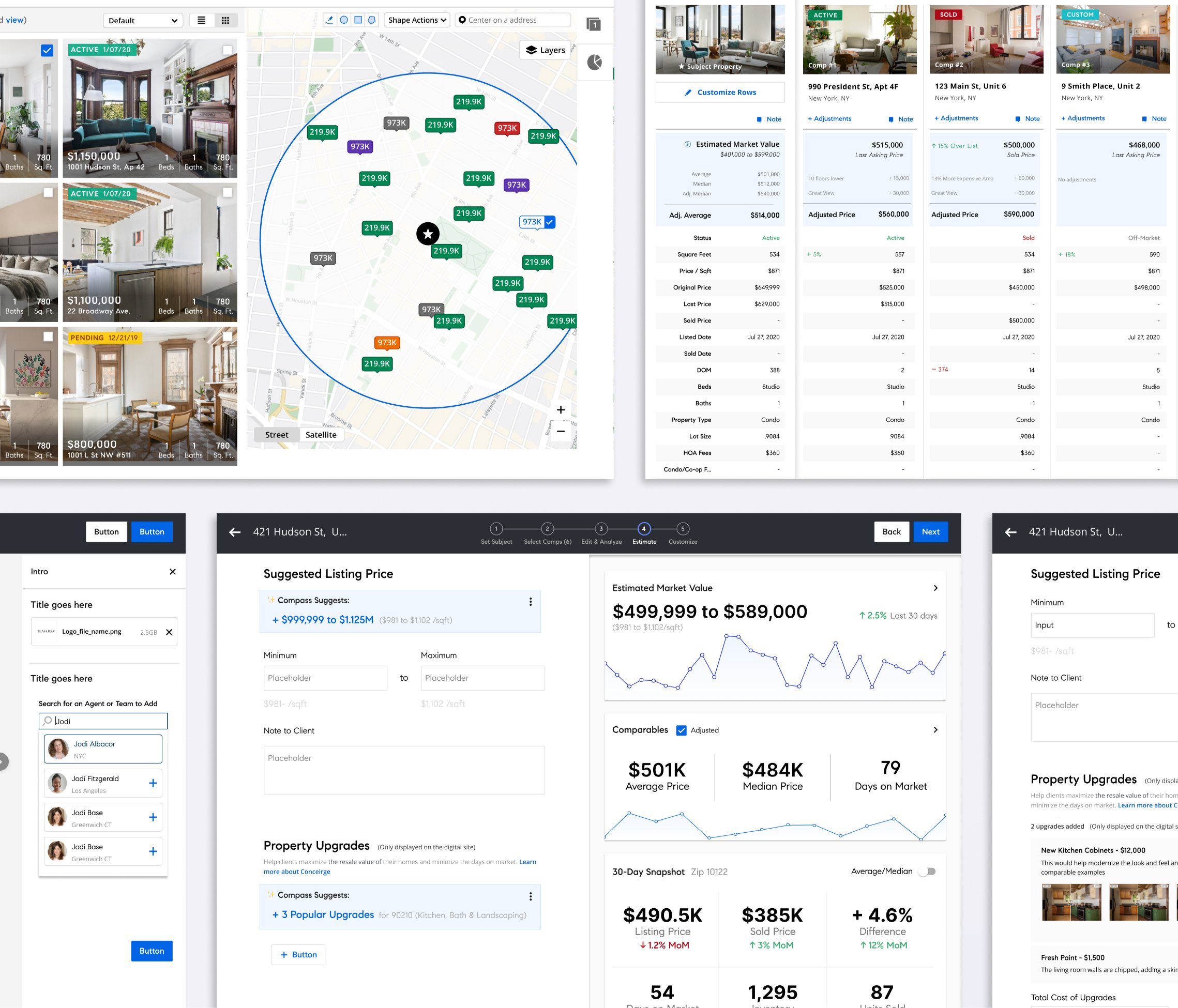
The redesigned CMA tool: map view, property listings, and market analysis.
The Problem
Real estate agents live and die by their listing presentations. To win a seller’s business, they need to walk in with polished competitive market analysis with comparable properties, pricing recommendations and market trends that makes them look like the expert in the room. But Compass’s CMA tool had grown unwieldy. After years of rapid scaling, hundreds of features had shipped without the design system keeping pace. The workflow was cluttered, the data visualizations were hard to read at a glance, and the outputs (print, web, and mobile) were inconsistent. Agents were abandoning the tool and building their own presentations from scratch, which defeated the purpose. Compass needed the CMA experience to be compelling enough to retain agents and competitive with tools like Moxie and CloudCMA.
The Approach
I started with a heuristic audit of the existing CMA workflow, cataloging where the interface deviated from the updated design system and where usability broke down. The biggest opportunity was in data visualization since agents needed to understand market positioning and pricing at a glance, not dig through tables. I also identified places where new AI features could reduce manual data entry and surface smarter comparable property suggestions, cutting the time from “open tool” to “polished presentation” significantly.
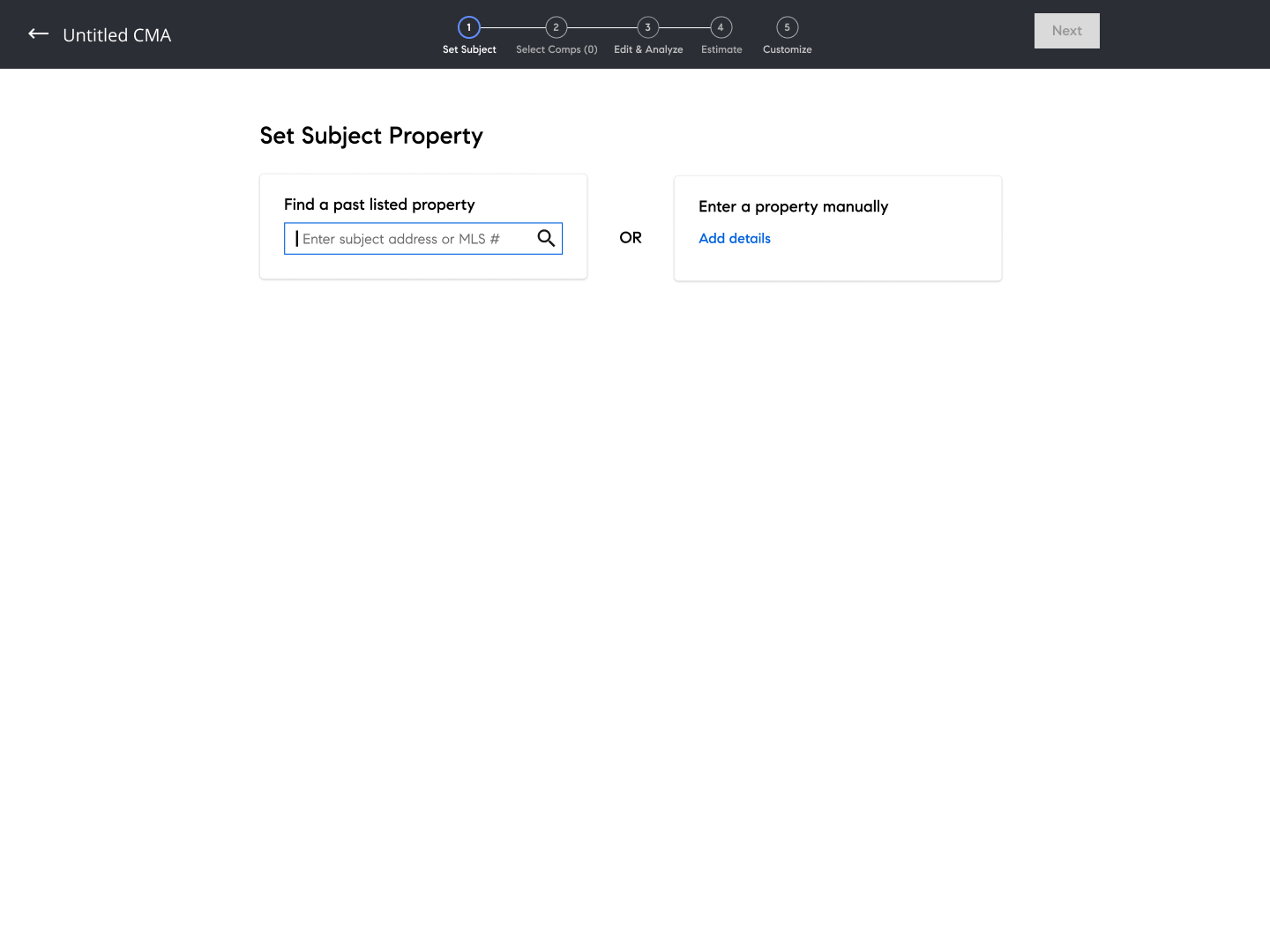 1
1 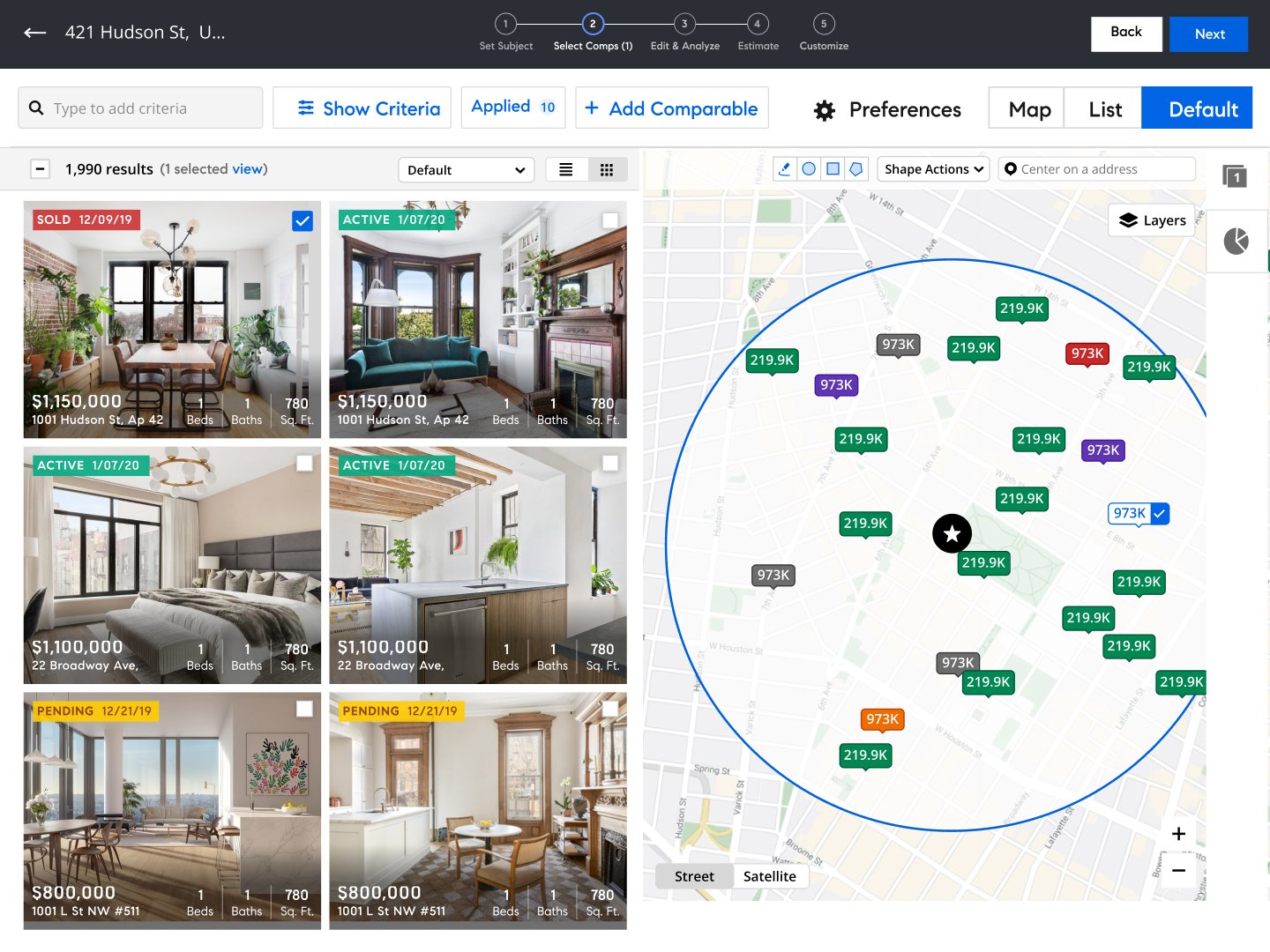 2
2 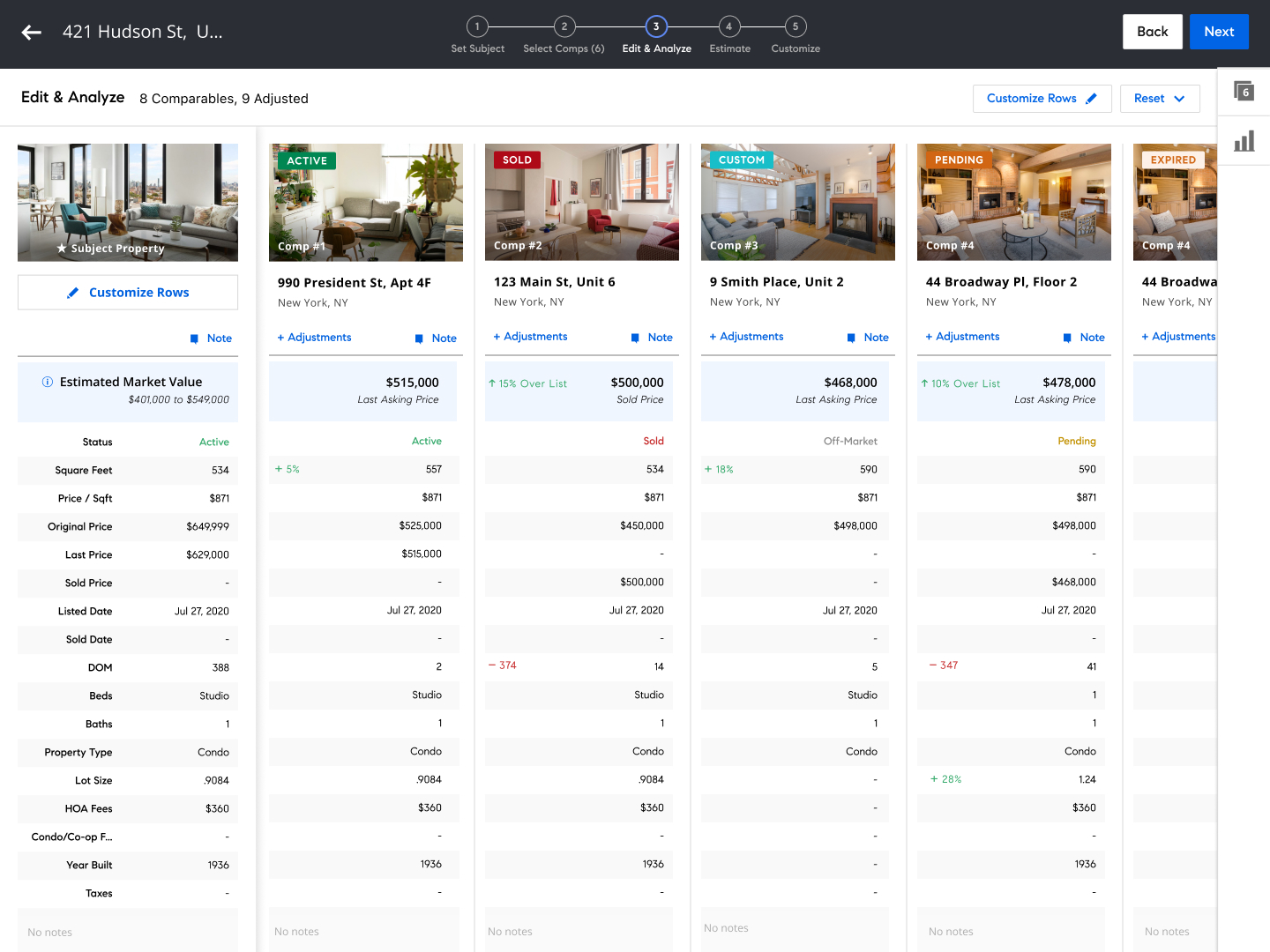 3
3 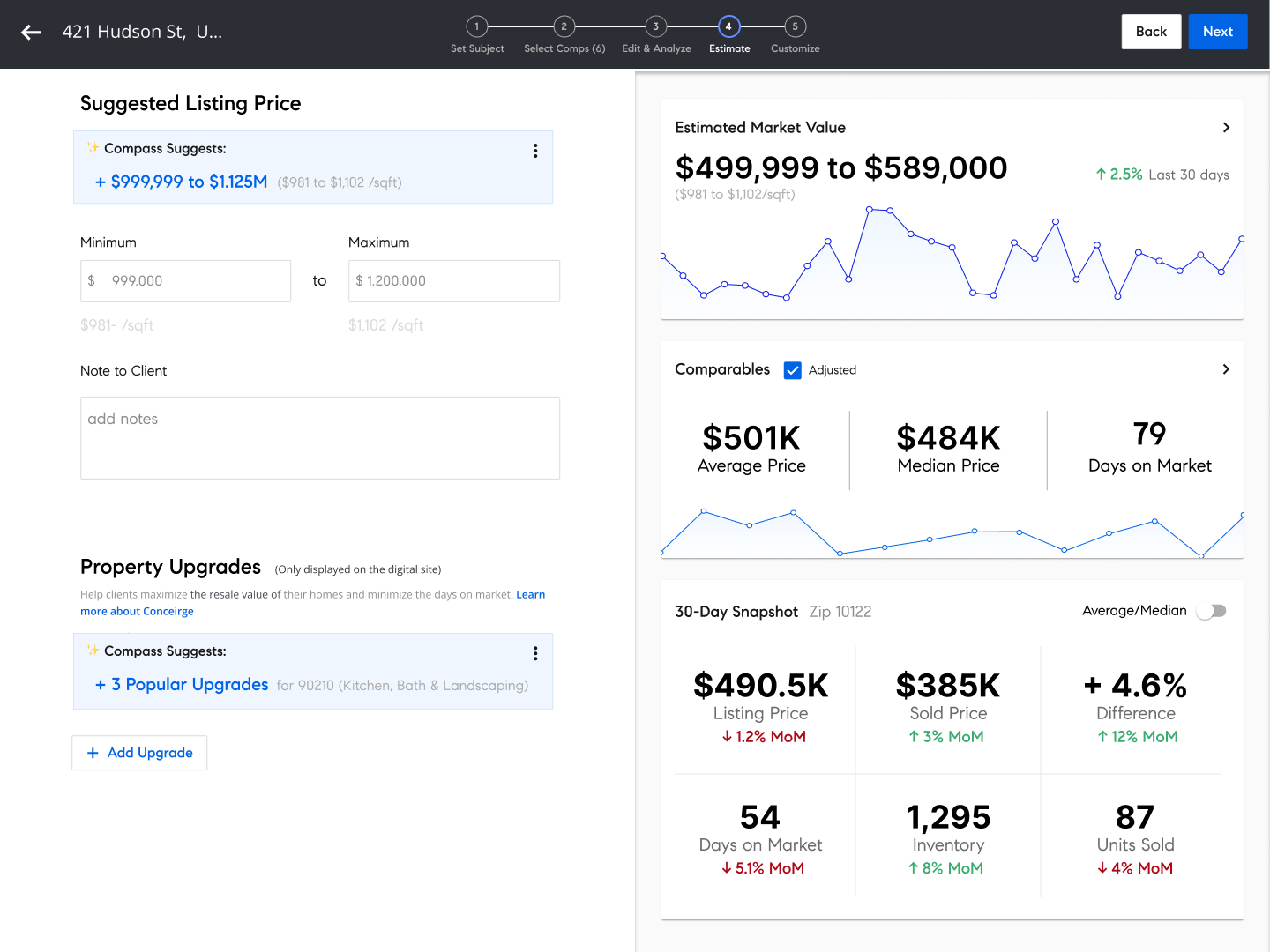 4
4 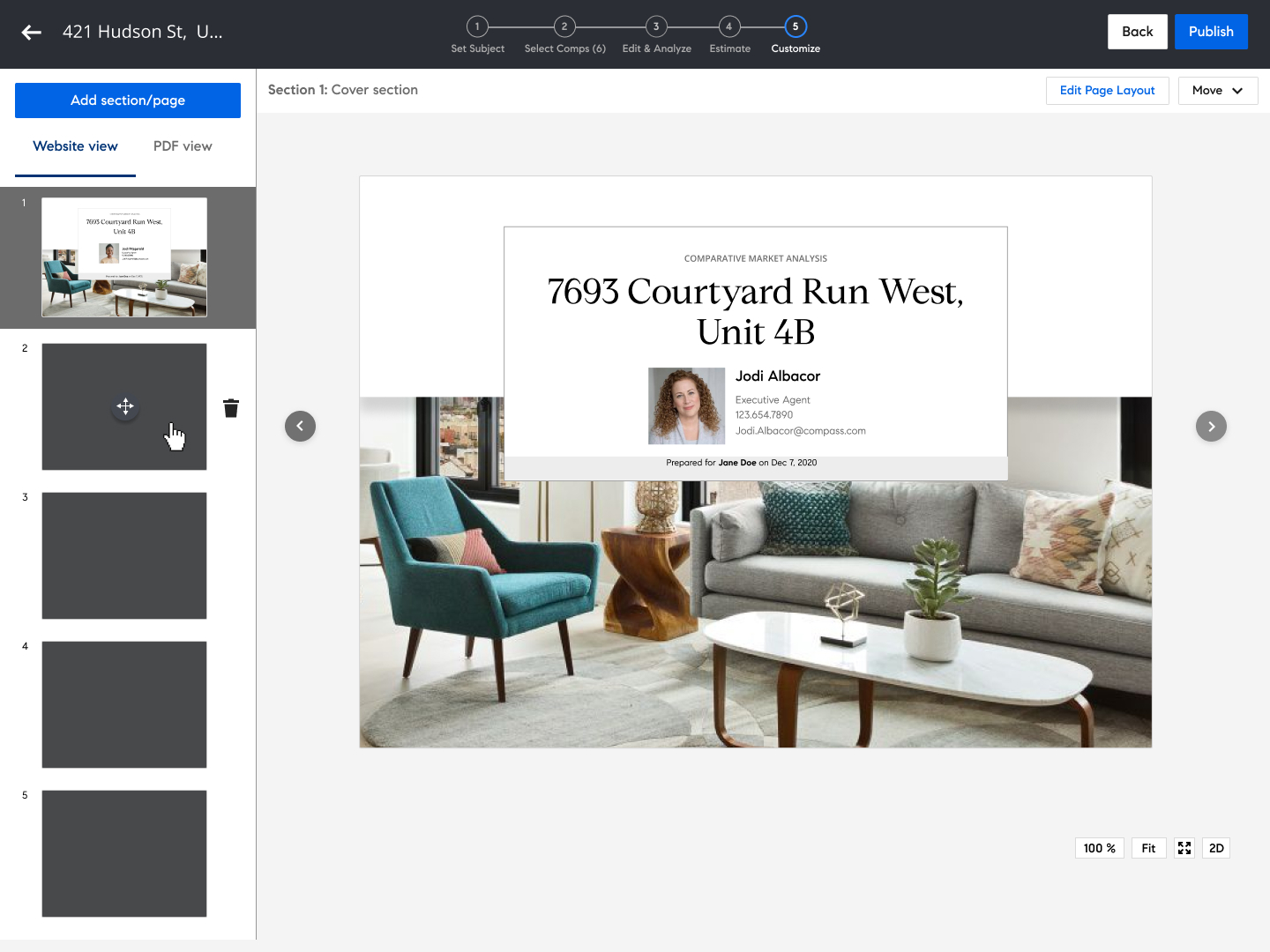 5
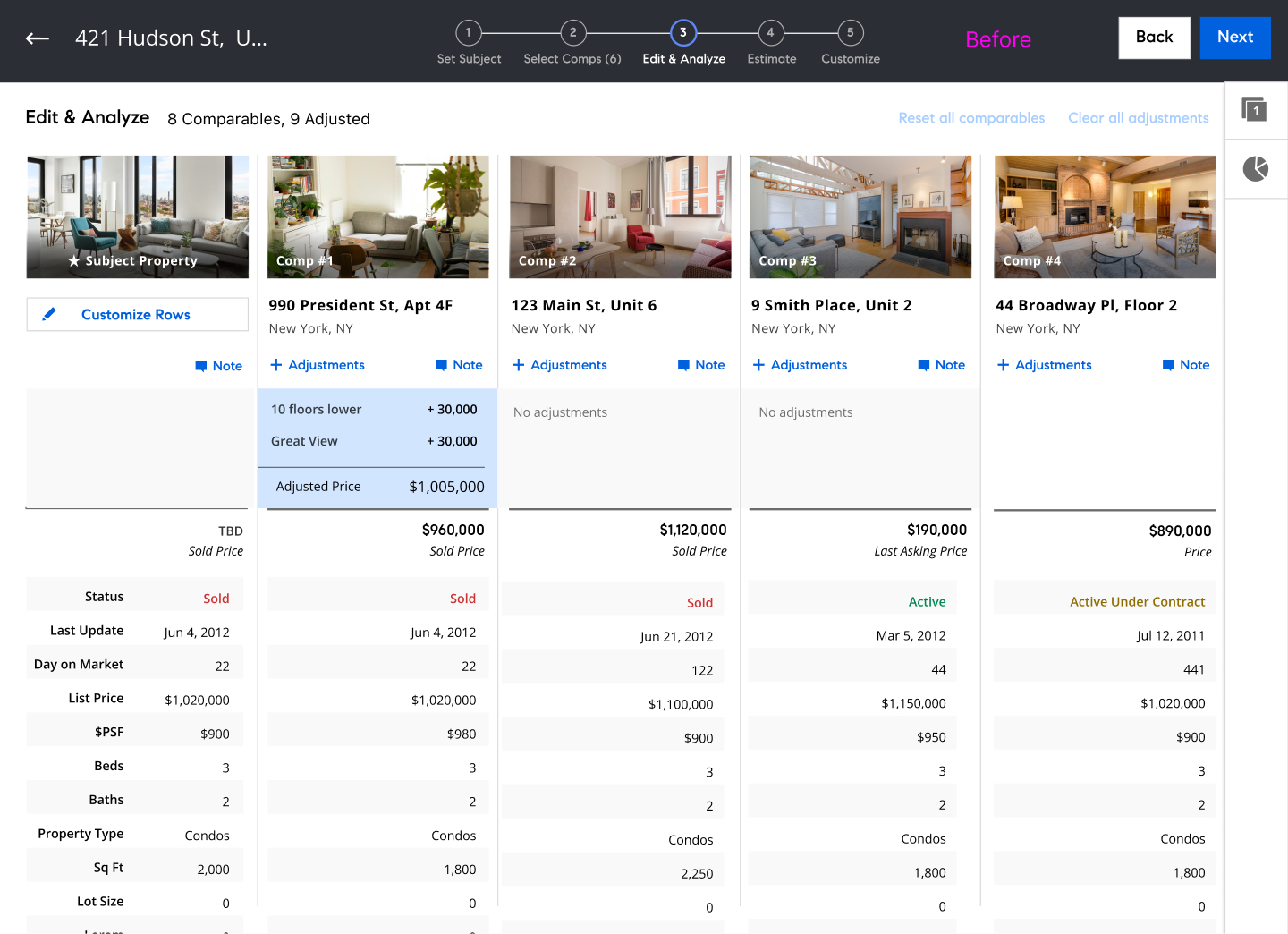
5 Key steps in the CMA workflow - click any image to expand
The Solution
I redesigned the CMA workflow end-to-end: migrated the interface to current design system components and tokens, overhauled the data visualizations to make market comparisons and pricing recommendations immediately legible, integrated new AI-powered features for smarter property matching, and brought visual consistency across all three consumer-facing outputs (print, web, and mobile) so agents could deliver a polished, professional presentation no matter how their clients preferred to receive it.
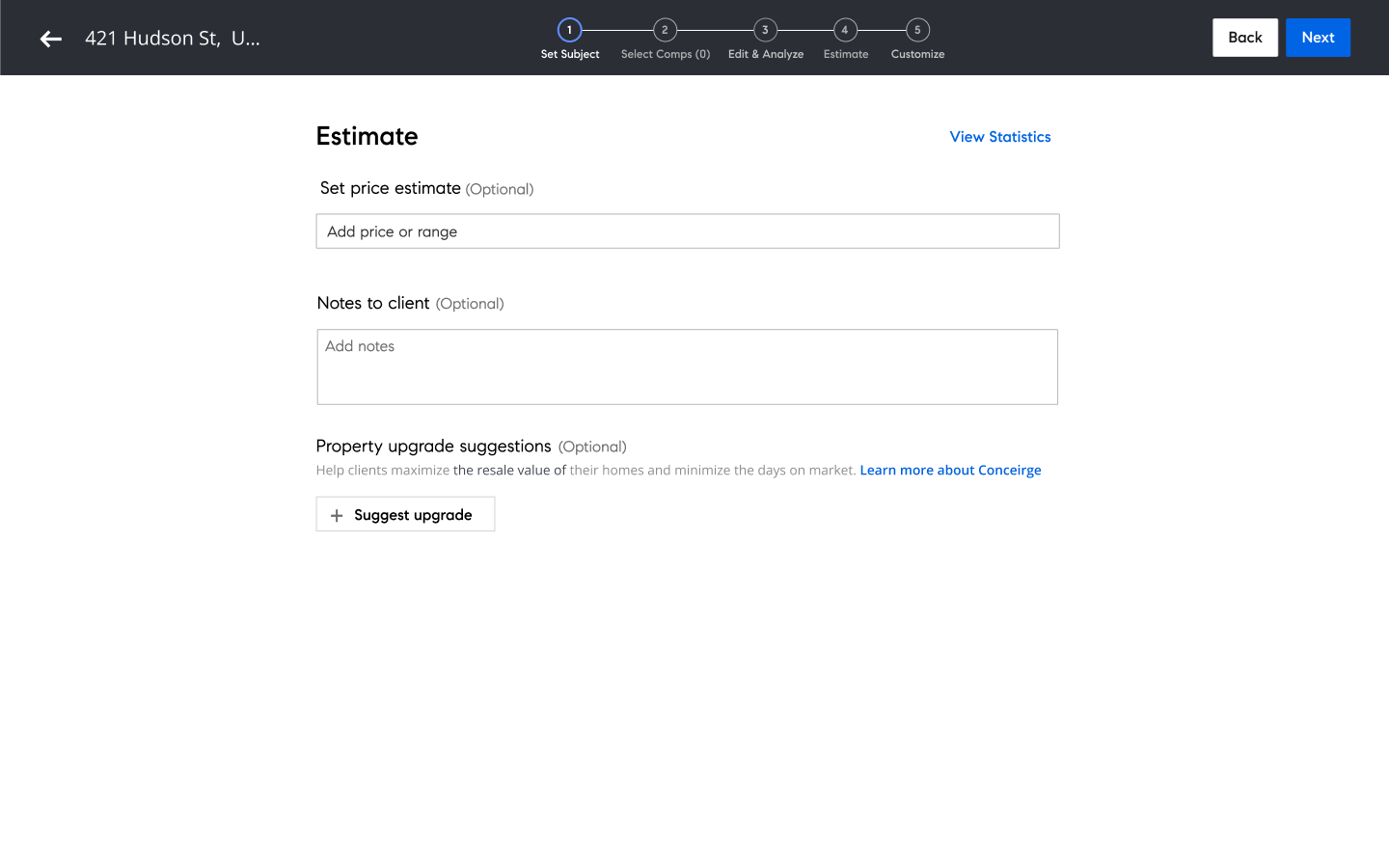
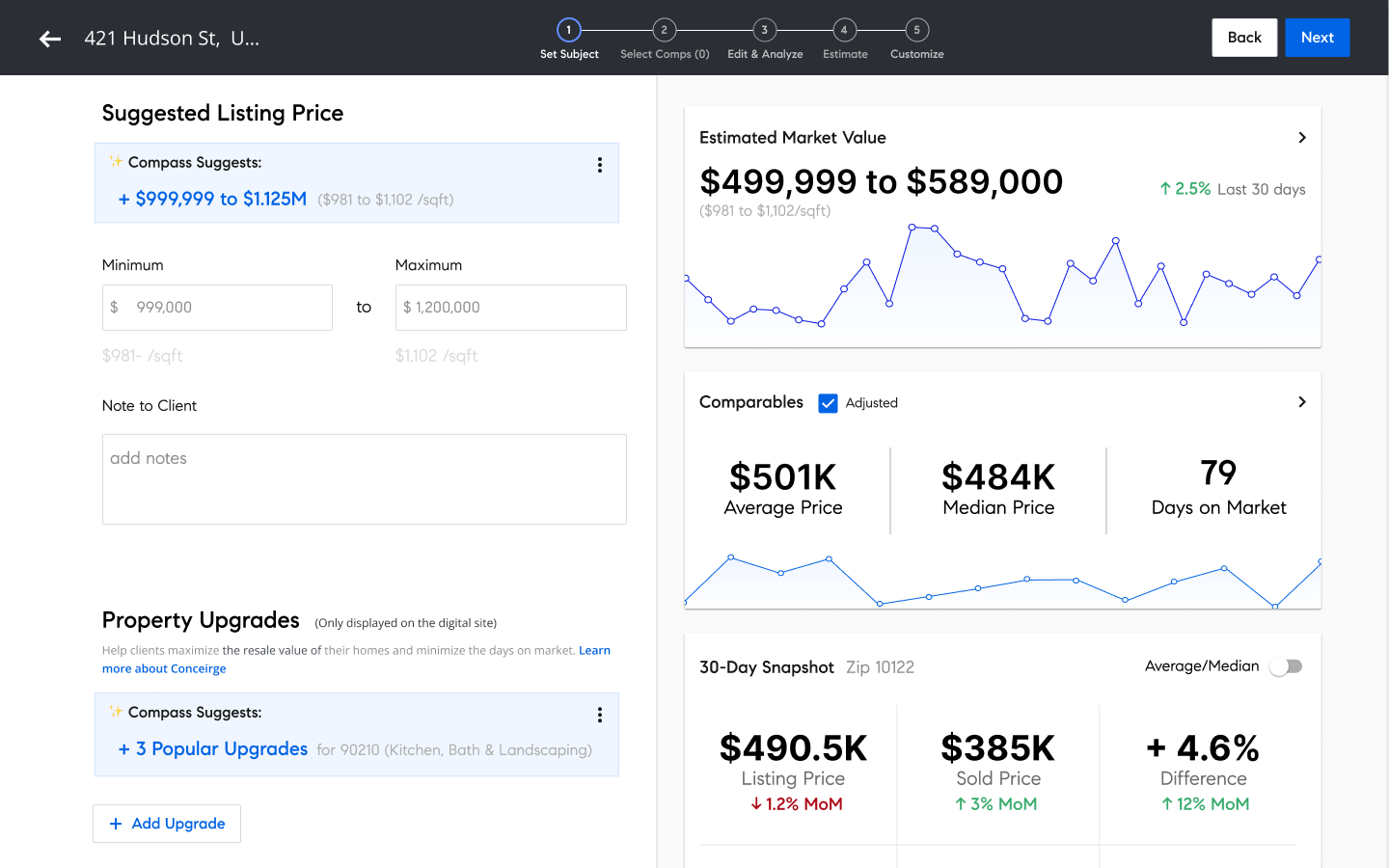
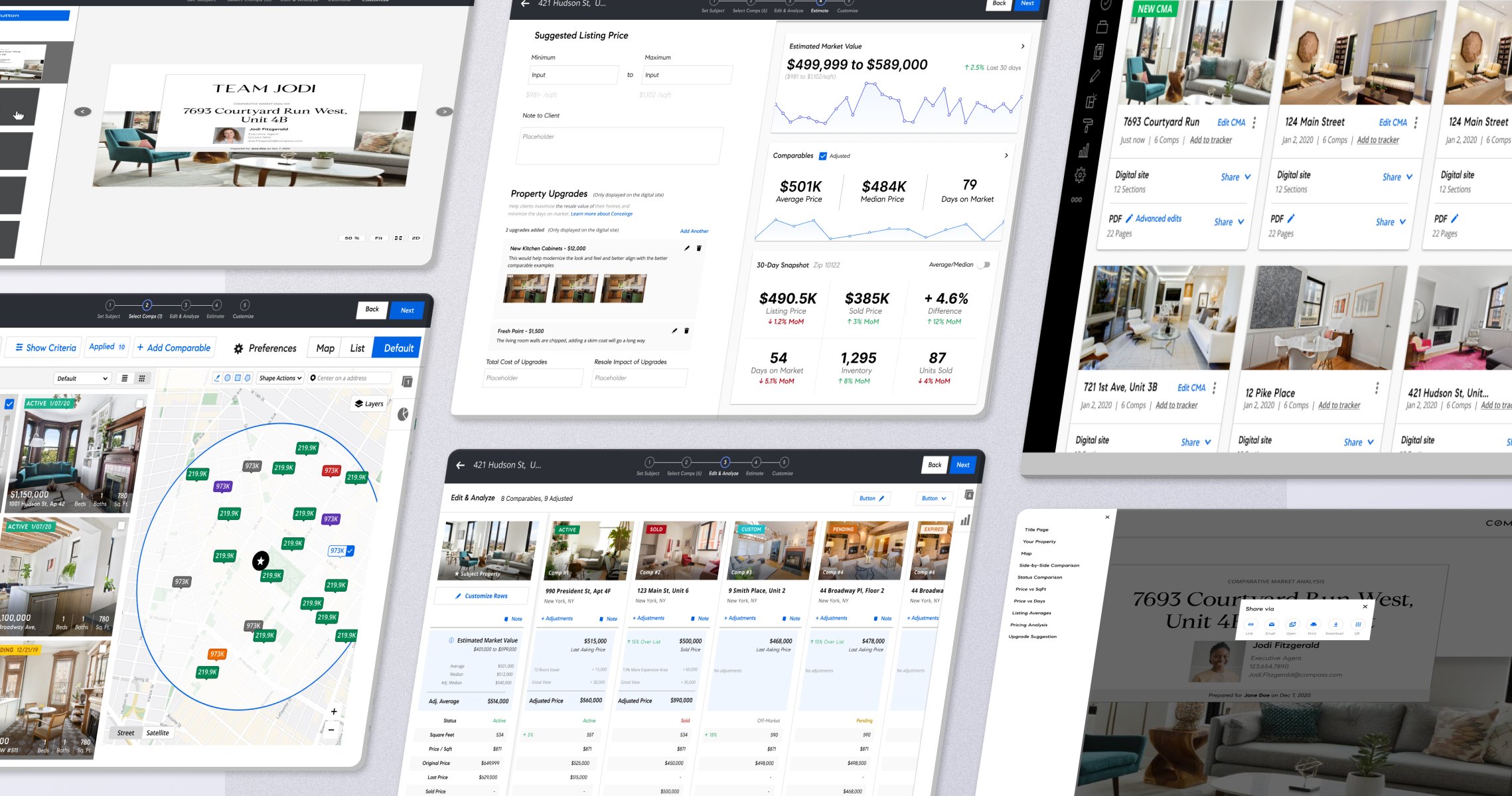
The redesigned competitive market analysis tool - built for speed and visual clarity.
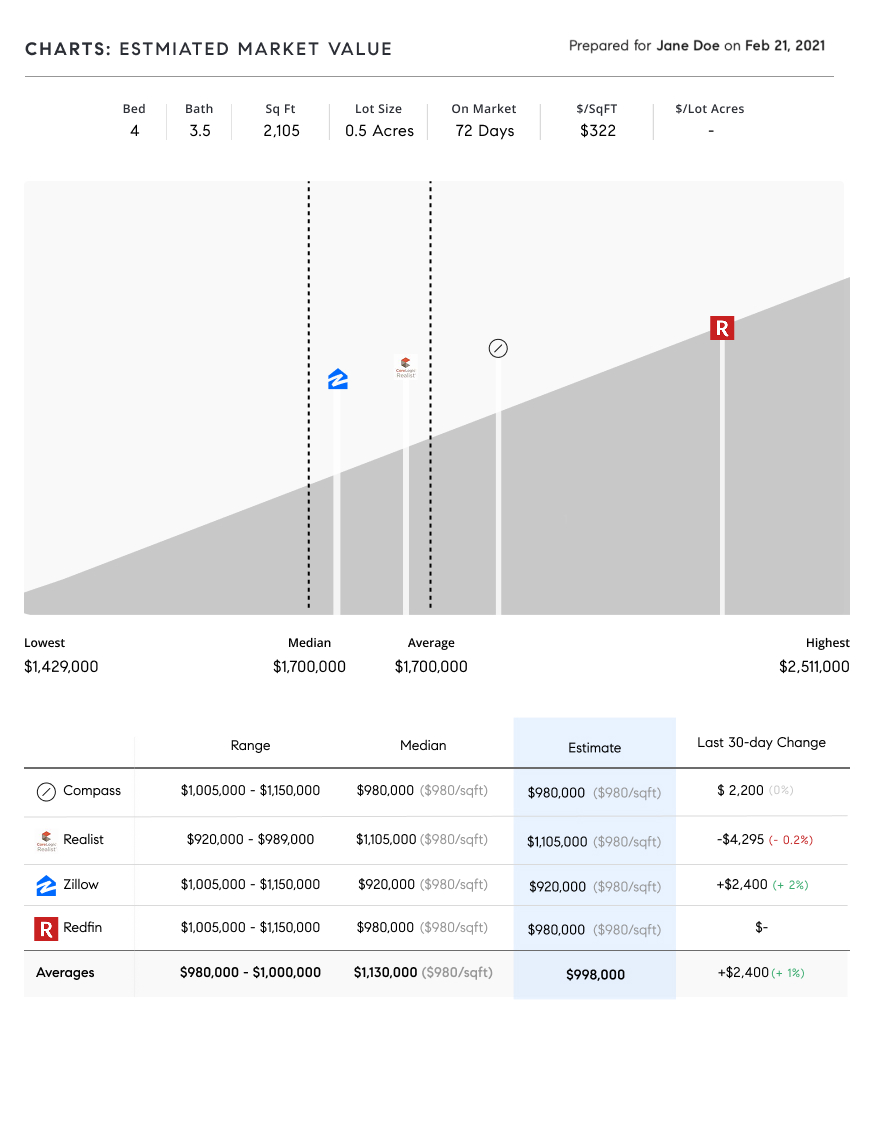
Data Visualization Redesign
Market comparisons and pricing recommendations redesigned for immediate legibility - agents could assess comparable pricing at a glance.
Contribution & Deliverables
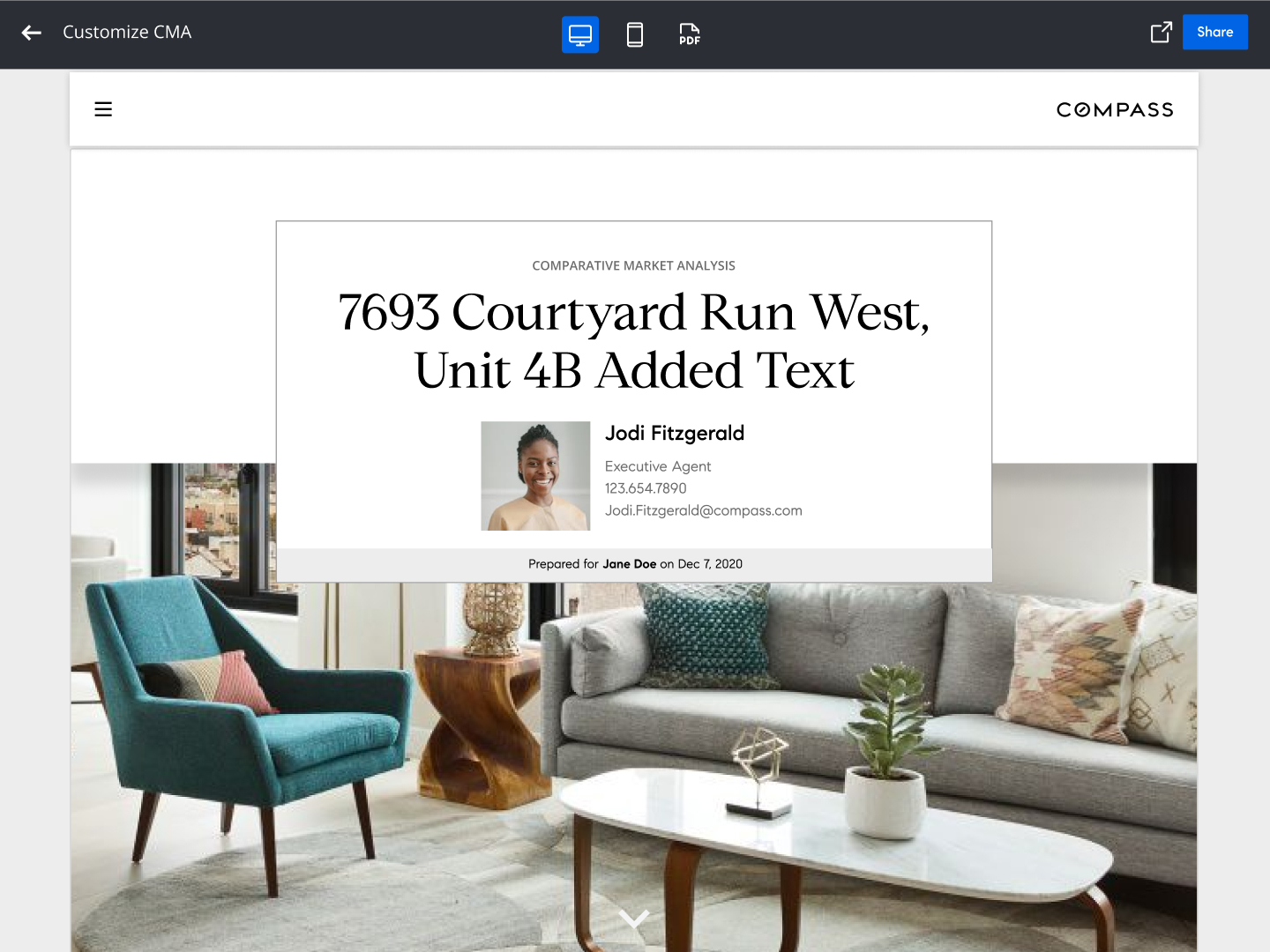
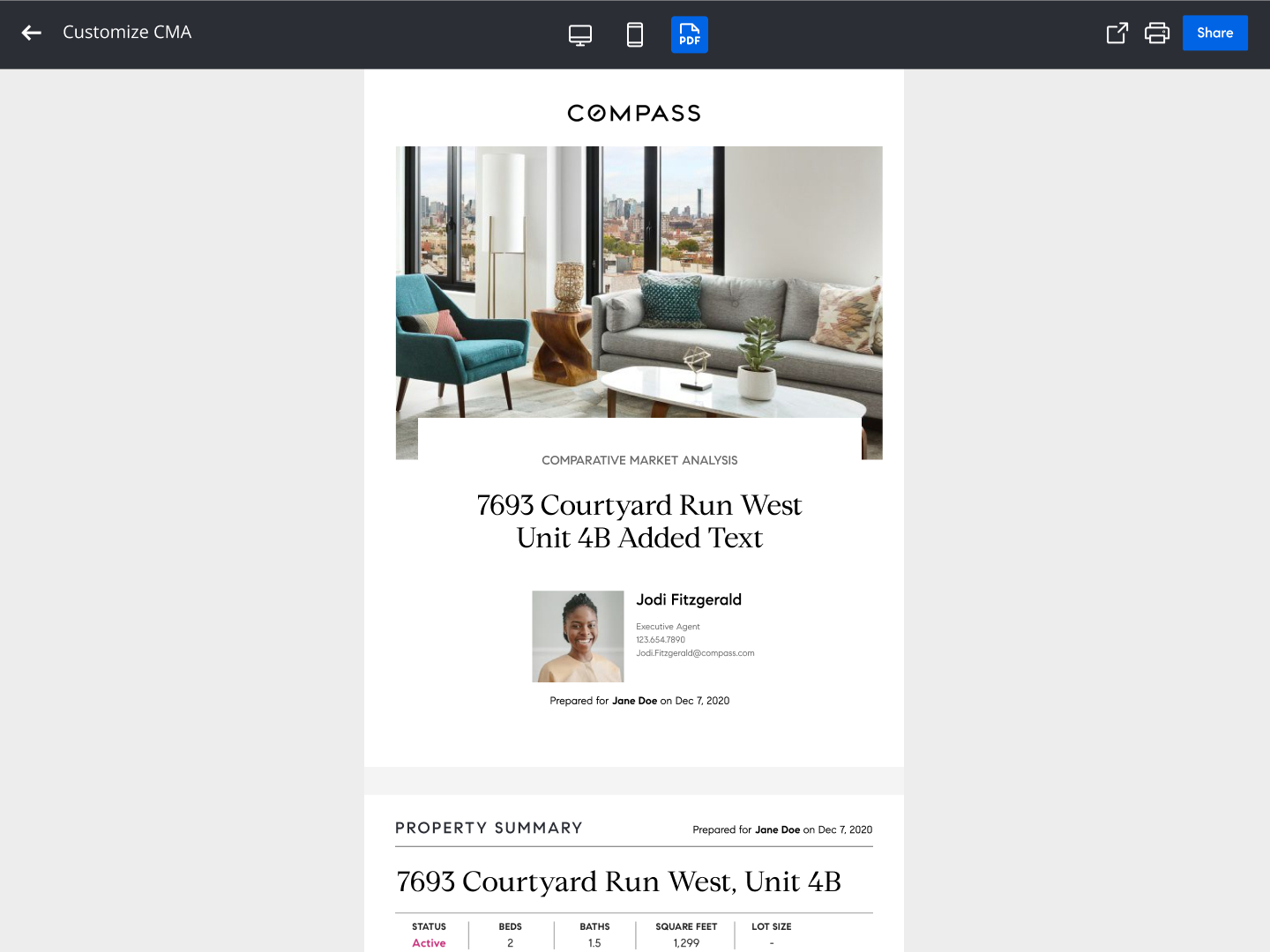
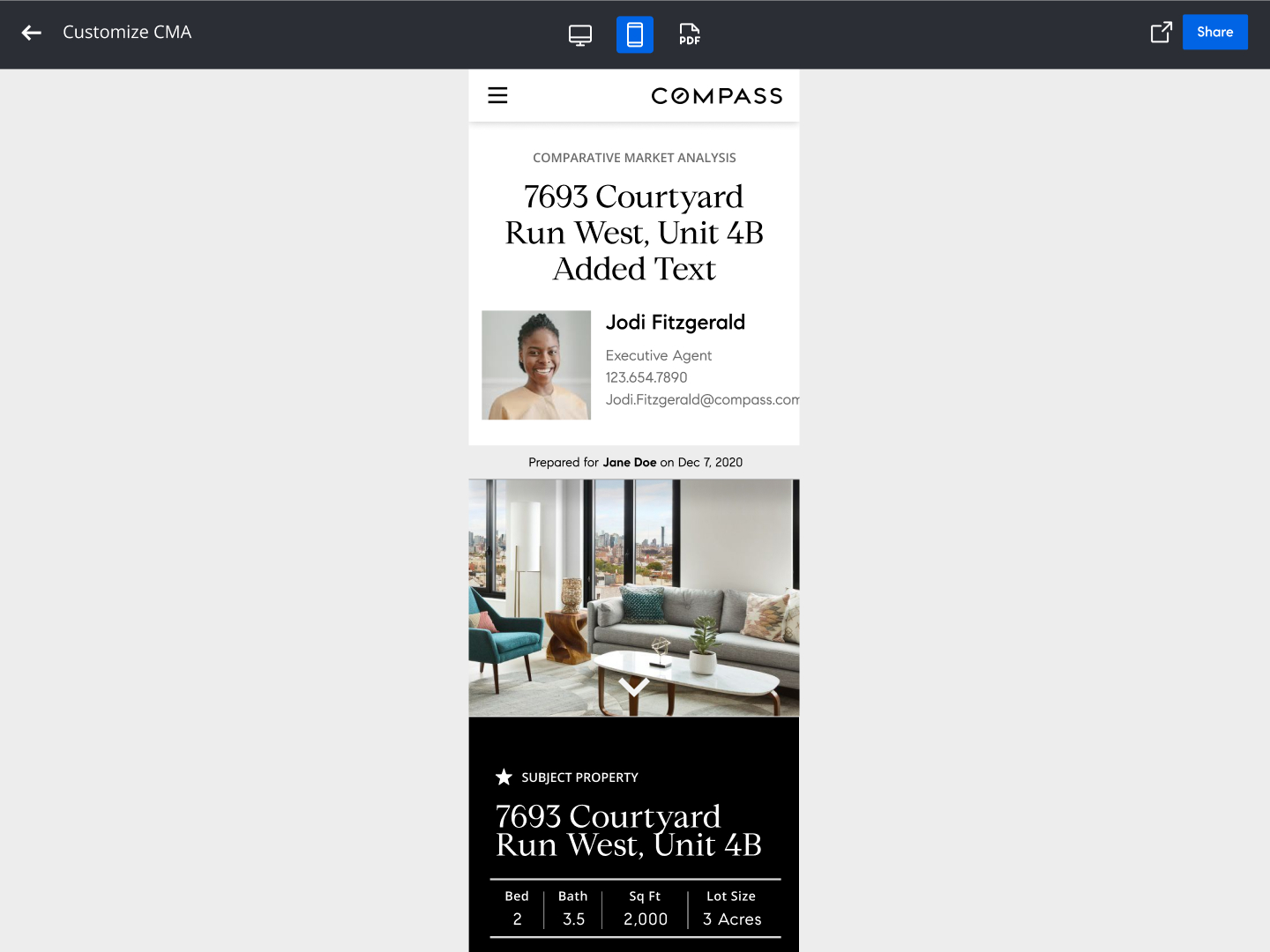
Consistent, polished output across web, print, and mobile (click to expand)
The Result
Agents who participated in user testing were notably enthusiastic about the redesign and ability to build a professional CMA in a fraction of the time with quick assess to comparable pricing and polished outputs for clients. The key shift: agents who had previously been building their own presentations outside the tool started using it voluntarily, which was exactly the adoption signal Compass needed.